
Scan any code. See where it leads.
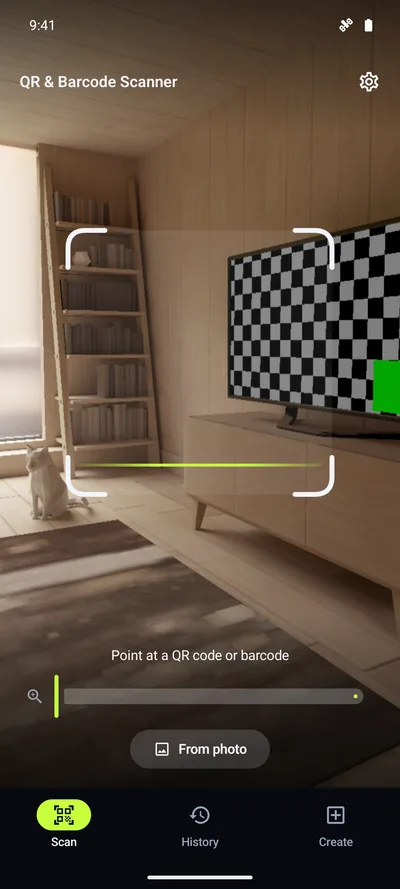
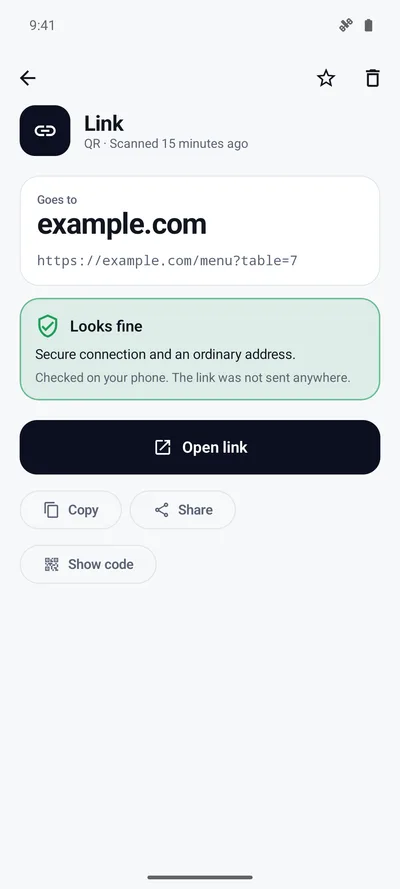
Point your camera at a QR code or a barcode. It is read at once, and you see what it is in plain words. A link is shown and checked before anything opens.
For Android 7.0 and newer.
- Link check on your phone
- No account
- Scans stay on your phone
- Ten languages
See where a link really goes
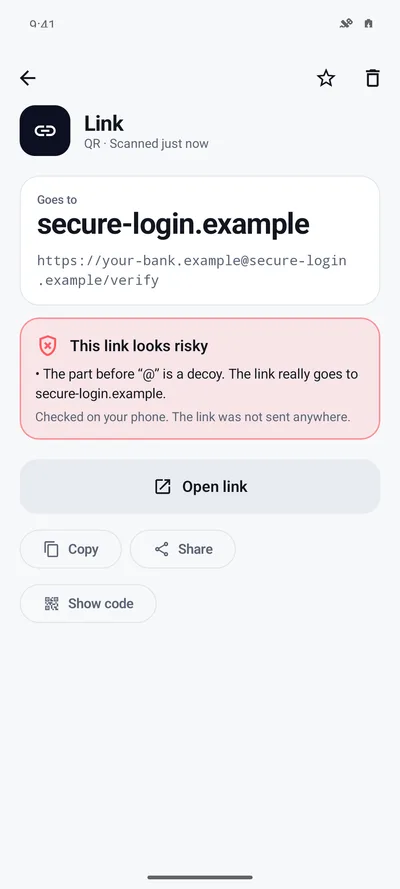
QR codes on posters, parking meters and stickers can lead anywhere. Before anything opens, the app shows you the real address and checks it for tricks.
https://your-bank.example@secure-login.example/verify
- a decoy
- where it really goes
- The true site behind a decoy name before the “@”
- Look-alike letters from another alphabet
- Shortened links that hide their destination
- Links that are not web pages at all
The check runs on your phone. The link is not sent anywhere to be checked. It warns about tricks it can see in the address; it is not an antivirus.
One tap for what you want
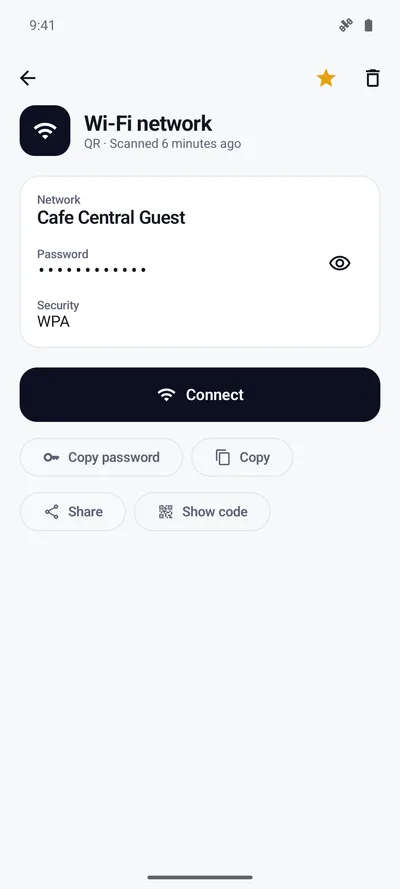
Every result has one big button for the thing you most likely want, and the rest close by.
Wi-Fi code
Connect, or copy the password.
Contact
Add it, call or send an email.
Product barcode
Search for the product.
Event
Add it to your calendar.
Location
Open it in your maps app.
Anything else
Copy it, share it, or show the code for a friend to scan.
Make your own codes
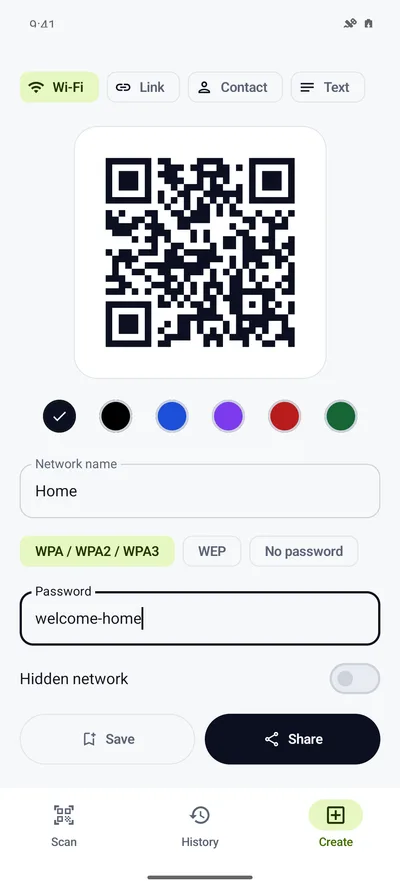
The Create tab makes a QR code for your Wi-Fi, a link, your contact or a text, in one of six colours.
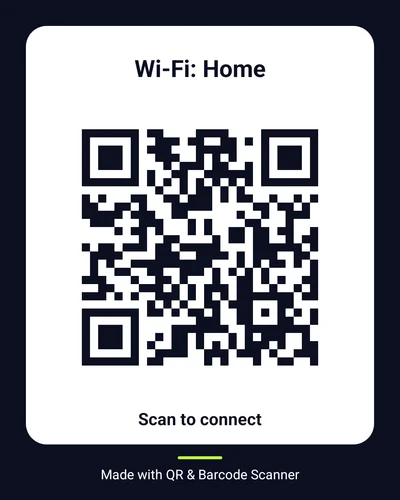
- Share it as a clean card
- Stick the Wi-Fi card on the fridge: guests connect without typing the password
- The password is inside the code, never printed on the card as text
History that stays on your phone
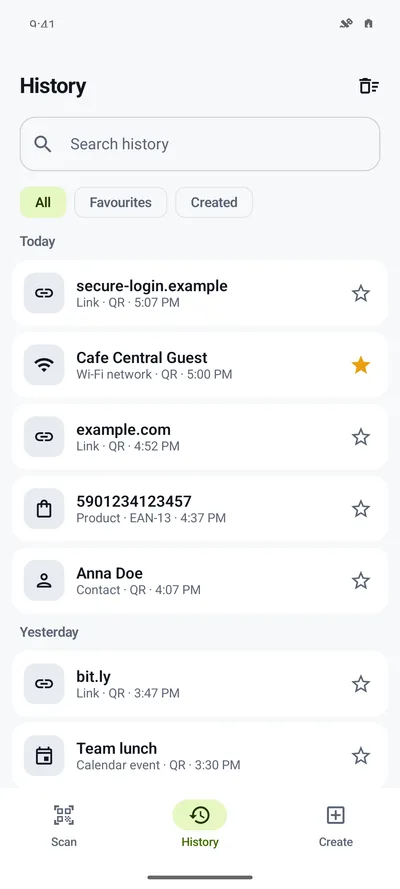
Every scan is kept in a history you can search. It is stored only on your device. No account.
- Search, and mark favourites
- Delete one, several or all of it
- Switch saving off, and a scan is gone when you close it
The screens are real captures of the app, shown in English.
Private by design
What the app does with your codes, and what it sends.
Codes are read on your phone
The camera picture is analysed on the device and is not saved. The codes you scan or create are never uploaded.
The link check asks no one
It is worked out from the link’s own text. There is no lookup service, so a scanned link is not sent anywhere to be checked.
You choose what leaves
A code leaves the phone only when you act on it: open its link, share it or export your history. Then it goes to the app you picked.
Statistics you can turn off
The app sends usage statistics and crash reports, never what a code says. In the EEA, the UK, Switzerland, Moldova and Türkiye they are off until you agree; elsewhere they are on and you can turn them off in Settings.
The app may show one small, family-safe banner ad from Google AdMob under the History list: never on the camera or on a result, and not in the first 3 days.
The details are in the Privacy Policy and on the Cookies and tracking page.
Free to use, with an optional Pro upgrade
Scanning, the link check, history and creating codes are free. Pro is a one-time purchase. It removes the ad banner and adds batch scanning, more colours and your logo on the codes you make, and history export as a spreadsheet file.
Questions
Is it free?
It is free to use, with an optional Pro upgrade. Scanning, the link check, history and creating codes are free. Pro is a one-time purchase. It removes the ad banner and adds batch scanning, more colours and your logo on the codes you make, and history export as a spreadsheet file.
Does it show ads?
It may show one small, family-safe banner under the History list. Never on the camera or on a result, and not in the first 3 days after you install the app. Pro removes the banner.
Does it upload what I scan?
No. Codes are read on your phone and are never uploaded. A code leaves the phone only when you open its link, share it or export your history. The app does send usage statistics and crash reports, never the content of a code; you can turn them off, and in the EEA, the UK, Switzerland, Moldova and Türkiye they are off until you agree.
Which codes does it read?
QR, Data Matrix, Aztec, PDF417, EAN-13, EAN-8, UPC-A, UPC-E, Code 128, Code 39, Code 93, ITF and Codabar, from the camera or from a photo. If several codes are in view, tap the one you want. There is a flashlight and zoom for dark or far codes.
How does the link check work?
Before a link opens, the app shows the real address and looks at the link’s own text for tricks: a decoy name before the “@”, look-alike letters from another alphabet, shortened links, links that are not web pages. It runs on your phone with no lookup service. It warns about what it can see in the address; it is not an antivirus and cannot tell what is on the page itself.
Can I make a Wi-Fi code?
Yes. In Create, type the network name and password, pick a colour and share the code as a card. Guests scan it and connect without typing. The password is inside the code and is not printed on the card as text.
Which languages does it speak?
Ten: English, Română, Русский, Español, Français, Português (Brasil), Deutsch, 日本語, Türkçe and Italiano. You can change the language inside the app.
Look before you open.
QR & Barcode Scanner for Android. Free to use, with an optional Pro upgrade.
Get it on Google Play